
Invoice Dues
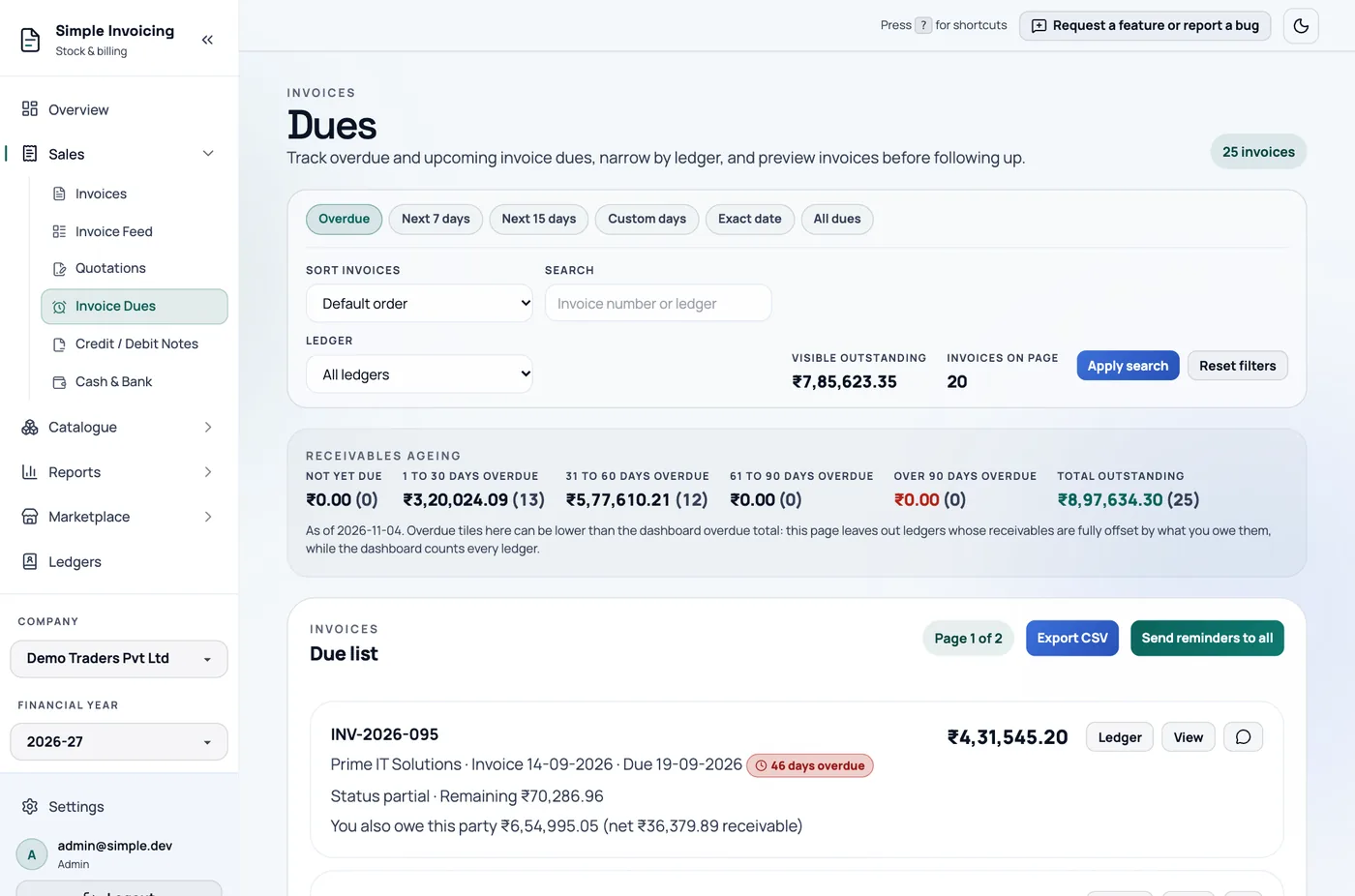
Sales → Invoice Dues shows who owes you money and helps you chase it. Everyone can view it. Only admins and managers can send email reminders.
What is listed
Active sales invoices with money still owing. Purchases, cancelled invoices and fully paid invoices are not listed.
The remaining amount is the invoice total, less credit notes, less payments allocated to that invoice.
An invoice with no due date, such as a marketplace sale, counts as due on its invoice date. Each row shows the invoice in its own currency, even if you have since changed your company's currency.
Allocate your receipts
A receipt recorded without allocating it to an invoice does not reduce the amount here, even though the customer has paid.
If a party owes you and you also owe them on purchase invoices, the row notes the net position. If what you owe covers it fully, they are hidden.
Choose what to see
The page opens on All dues. Also available are Overdue, which means due before today, Next 7 days, Next 15 days, Custom days and Exact date.
You can narrow by Ledger, search, and sort by amount, oldest due date or customer name. Reset filters clears everything.
The Receivables ageing strip groups the money into not yet due, 1 to 30, 31 to 60, 61 to 90 and over 90 days overdue. It follows your Ledger and search filters, but not the choice of period, so it always covers everything still owing.
Chase a payment
Each row has these buttons:
- Record payment: records money received against this invoice.
- WhatsApp: opens a chat with a polite reminder ready to send. It appears when the ledger has a usable phone number.
- Ledger: opens the party's statement, where Send Reminder emails one party.
- View: previews the invoice.
Remind everyone
Send reminders to all emails every ledger with unpaid invoices. Each email lists their unpaid invoices and total.
- It ignores your filters, so it covers everyone with a balance and not just the rows on screen.
- Ledgers with no email, or whose balance is covered by what you owe them, are skipped and reported to you.
- On the hosted version, these count toward your limit of 50 emails in 24 hours.
Export
Export CSV downloads the current page: customer, invoice number, dates, total and amount due.